Scripts you can see, change, and replay
You can now record a login or business flow with the ZAP Browser Extension, check that it works, fix it and replay it, all without leaving the browser.
The ZAP Browser Extension has always been able to record your actions as a Zest script. Until now that script was a black box: you recorded it, downloaded it, and found out if it worked later.
Version 0.3.0 changes that with the new Script Viewer, which lets you see, edit and replay the Zest script. It is available in both the full extension and the standalone Recorder.
Opening the viewer
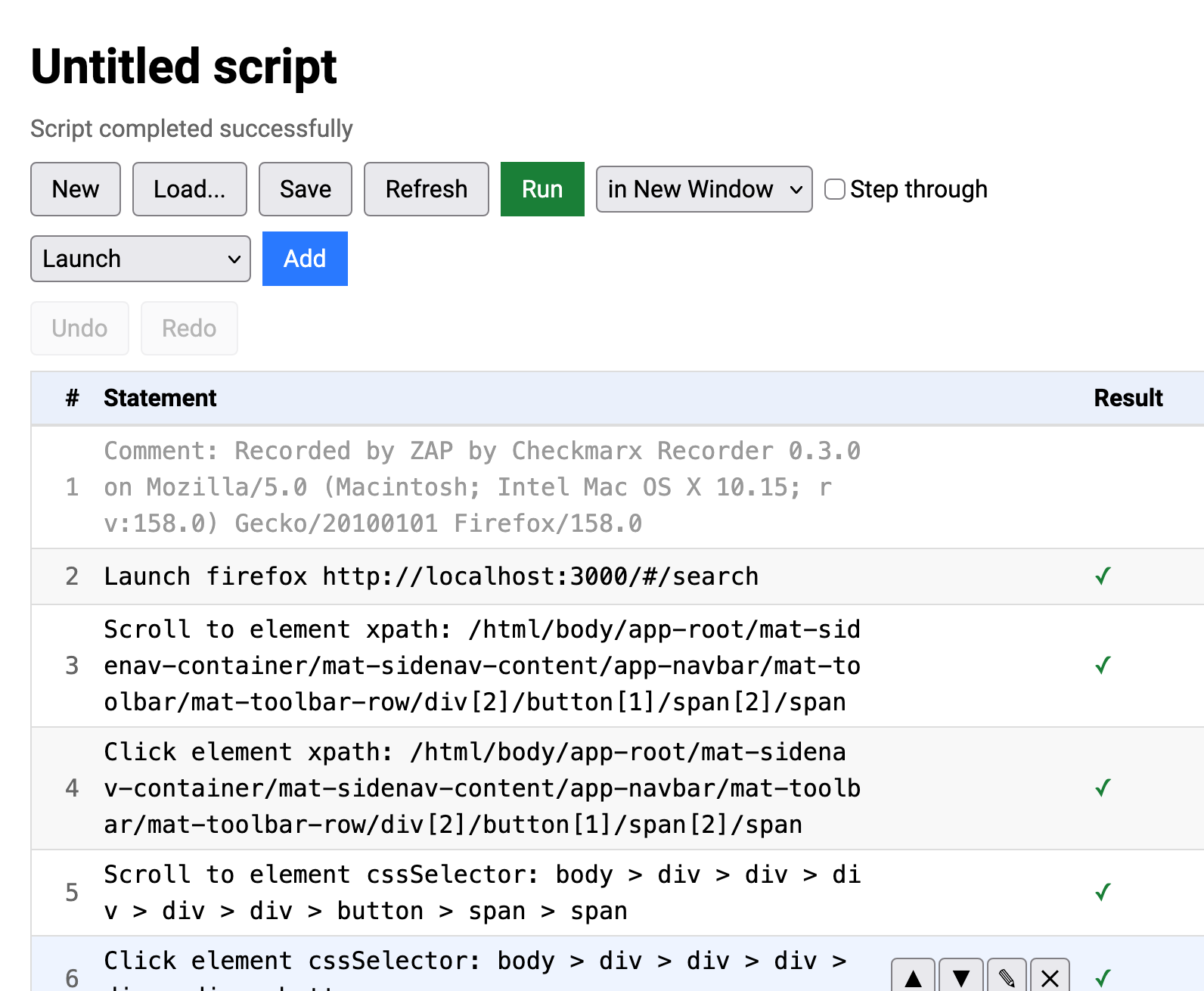
Click the new View Script button in the extension popup and the script opens in its own tab. If the tab is already open you are just switched to it.
The viewer also opens in a background tab as soon as you start recording, without taking you away from the page you are recording.
Watching a recording
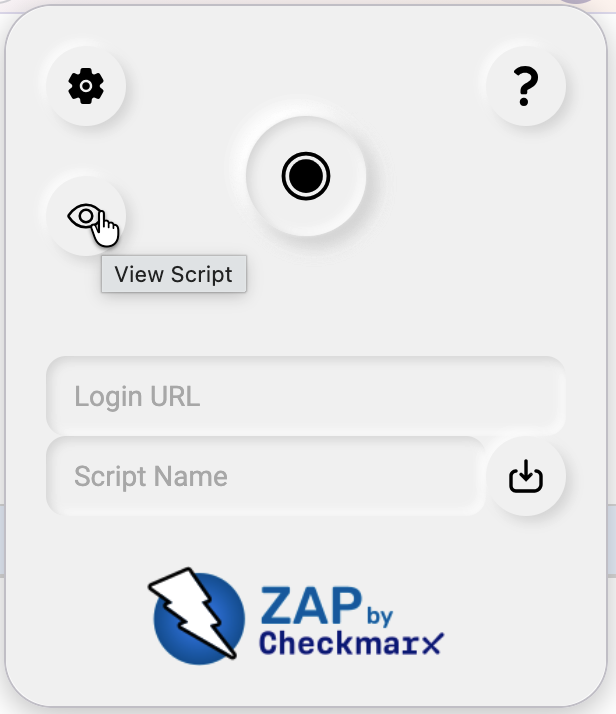
While you are recording, the viewer shows your script building up statement by statement and scrolls to keep the latest one in view. Editing and replaying are disabled until you stop recording.
Editing
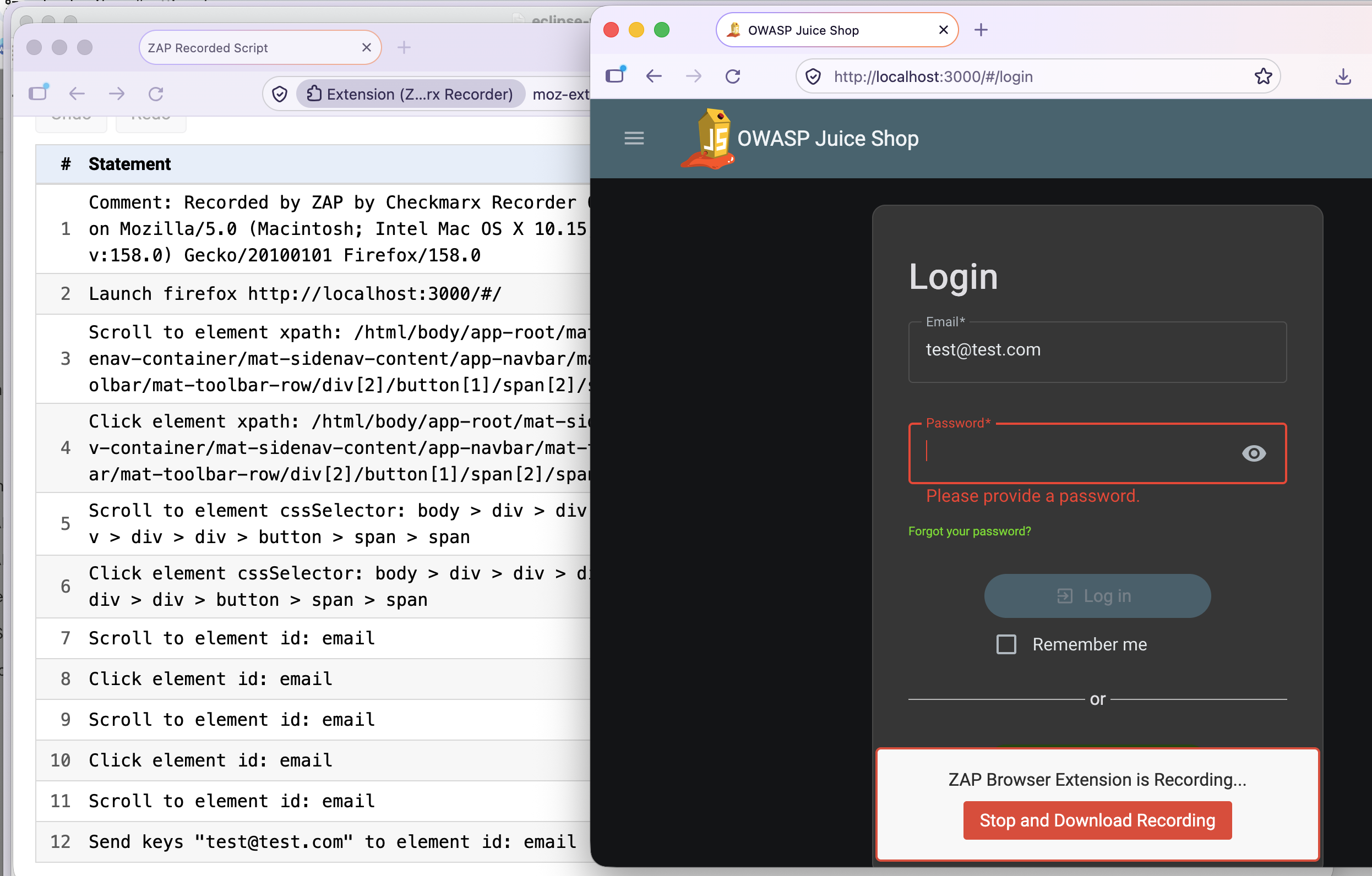
Each statement is shown in a summary form similar to the one used in the ZAP desktop. Hover over a row to show its buttons, which let you:
- Edit the statement, including the locator used to find the element
- Move it up or down
- Delete it (you are asked to confirm first)
You can also add new statements of any type the extension supports using the pulldown with the Add button, Undo and Redo your changes.
The locator types you can choose from are id, cssSelector, xpath, className, name, linkText,
partialLinkText and tagName.
The recorder will not record partialLinkText itself, but you can switch a statement to use it and it
will be used when the script is replayed.
This is handy when the text of a link varies slightly, for example when it includes a counter.
Replaying
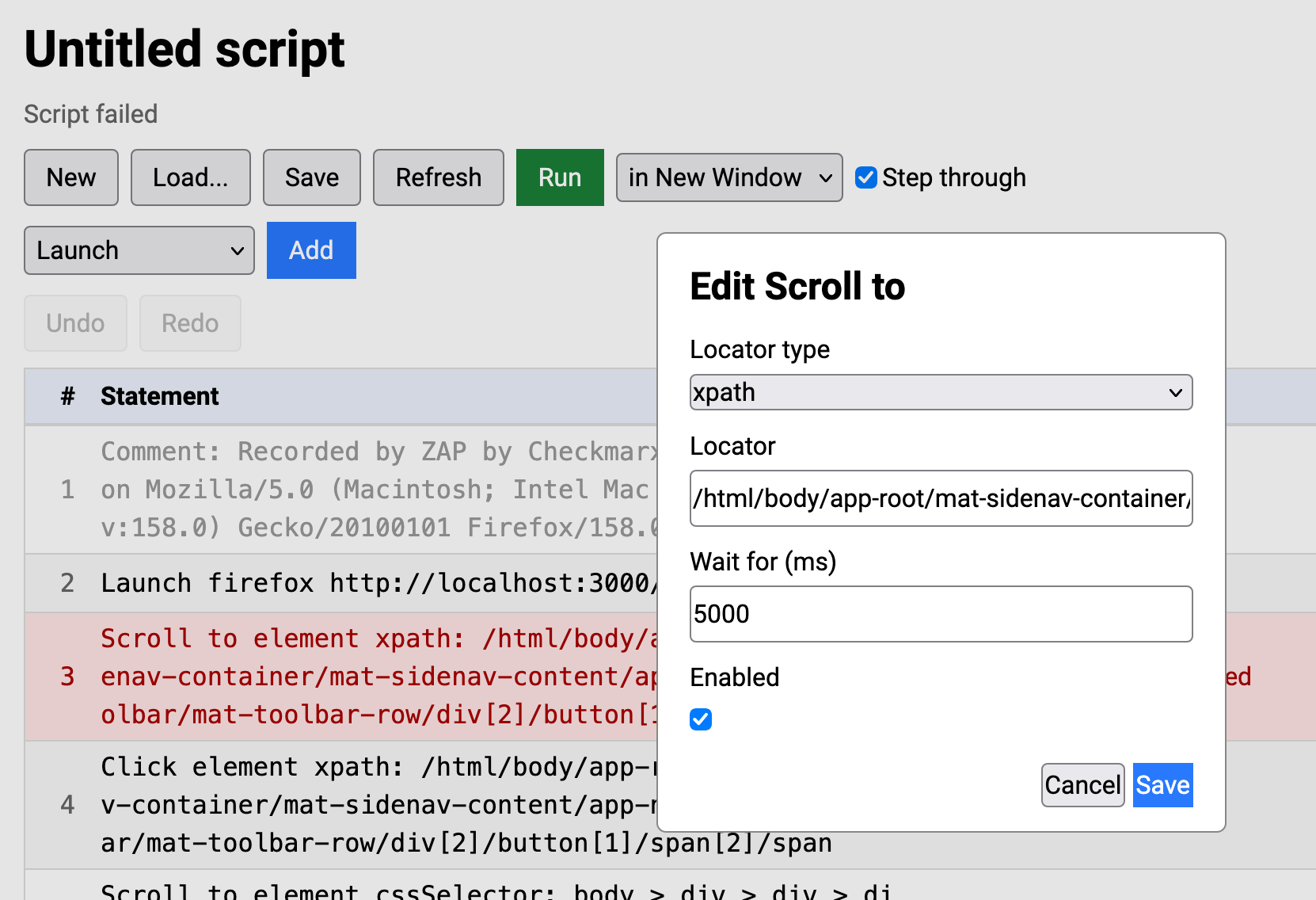
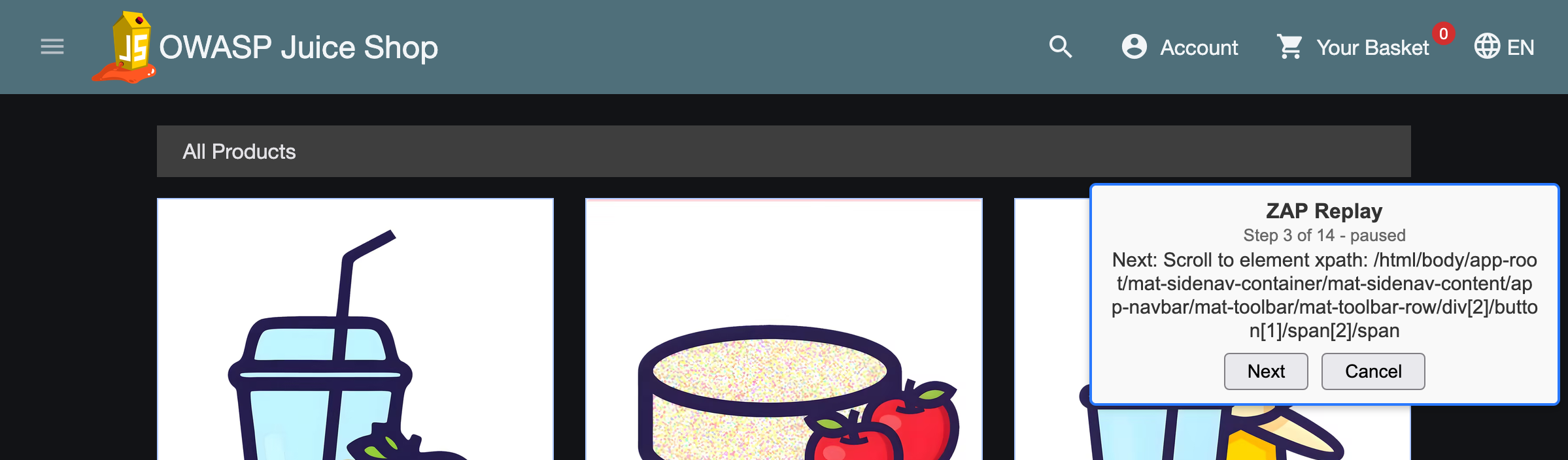
Select Run in New Window or Run in New Tab and the extension replays the script in the browser. While it runs, a small box on the page shows which statement is being run. You can move it out of the way and it does not affect the replay.
If you want to see exactly what is happening, tick Step and the script will run one statement at a time, waiting for you to press Next (or Cancel to stop).
The replay uses the same logic for finding elements and sending keystrokes that the recorder captured, so it is a quick way to check that a recorded login or workflow is robust before you use it in ZAP. Replaying is not available while you are recording.
Loading and saving
Use Load to open a Zest script from disk, and Save to download the current one. New clears the script (after asking you to confirm). This means you can also use the viewer to tidy up a script recorded earlier, or one created elsewhere.
Things to be aware of
- Only the statement types that the extension can record and replay are supported. Scripts that use other features, such as conditional statements or loops, are rejected when loaded.
- Edits are made to the script held in the browser, they are not sent back to ZAP while you work.
- Replaying only works with
httpandhttpspages.
Try it out
Update to version 0.3.0 of the full extension or the Recorder, record something, and click View Script.
If you are launching your browser from ZAP then update the Client Side Integration add-on.
If you are manually installing the Recorder in your browser then update that from the relevant browser marketplace.
The built in help has a new Script Viewer section describing everything above.
We would love your feedback, in particular on what other statements or editing options you would find useful. Please let us know via the ZAP User Group or by raising an issue in the browser extension repository.